
Download Button Shop – button maker, website design, web buttons, customizable buttons, design tool, visual effects, XML templates, image formats
Overview
Button Shop is a productivity-focused tool designed to simplify the creation of custom web buttons for developers, designers, and website owners. The application enables users to generate visually appealing buttons in a matter of minutes, offering a streamlined workflow for enhancing digital interfaces. By providing an accessible platform for button design, Button Shop addresses the common challenge of creating consistent, high-quality graphical elements without requiring advanced graphic design skills.
Target users include web developers seeking efficient tools for UI enhancement, small business owners building websites, and digital designers who need quick, repeatable button templates. The app’s emphasis on customization and output flexibility makes it particularly useful in projects requiring uniform styling across multiple pages or platforms. Its ability to save designs as XML templates supports standardized visual identity across websites, reducing design overhead.
Although the developer did not provide additional technical details, the application’s long-standing presence in the productivity space suggests a stable and reliable foundation. The release date of January 9, 2013, indicates a mature product with years of real-world use, though updates may be infrequent. Button Shop fits into the broader ecosystem of web design utilities by offering a focused, no-frills solution for a specific but essential task: button creation.
Key Features & Functionality
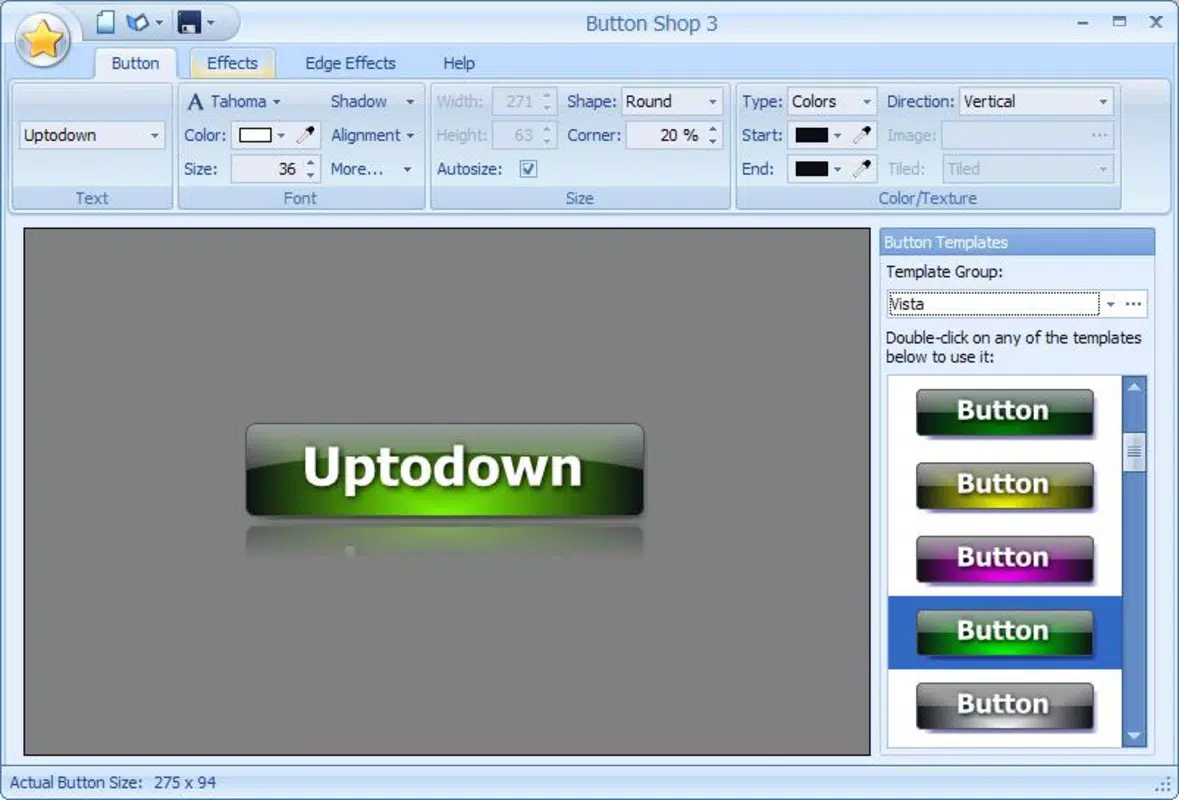
- Easy to Use Interface: The intuitive main window provides a clear layout for real-time button design, allowing users to visualize changes instantly. Menus are logically organized, enabling both beginners and experienced users to navigate without confusion.
- Variety of Templates: A rich selection of pre-designed templates serves as a starting point, helping users accelerate their workflow. Whether building from scratch or modifying existing designs, users can adapt templates to match their branding or aesthetic preferences.
- Customizable Effects: Users can apply a range of visual effects, including Vista, XP, and Aqua styles, as well as shadows, transparencies, and frame options. These features enhance visual appeal and allow for creative expression while maintaining professional quality.
- Multiple Output Formats: The software supports export in PNG, ICO, JPG, and EXIF formats, ensuring compatibility with diverse web platforms and devices. This flexibility preserves image quality and supports responsive design needs.
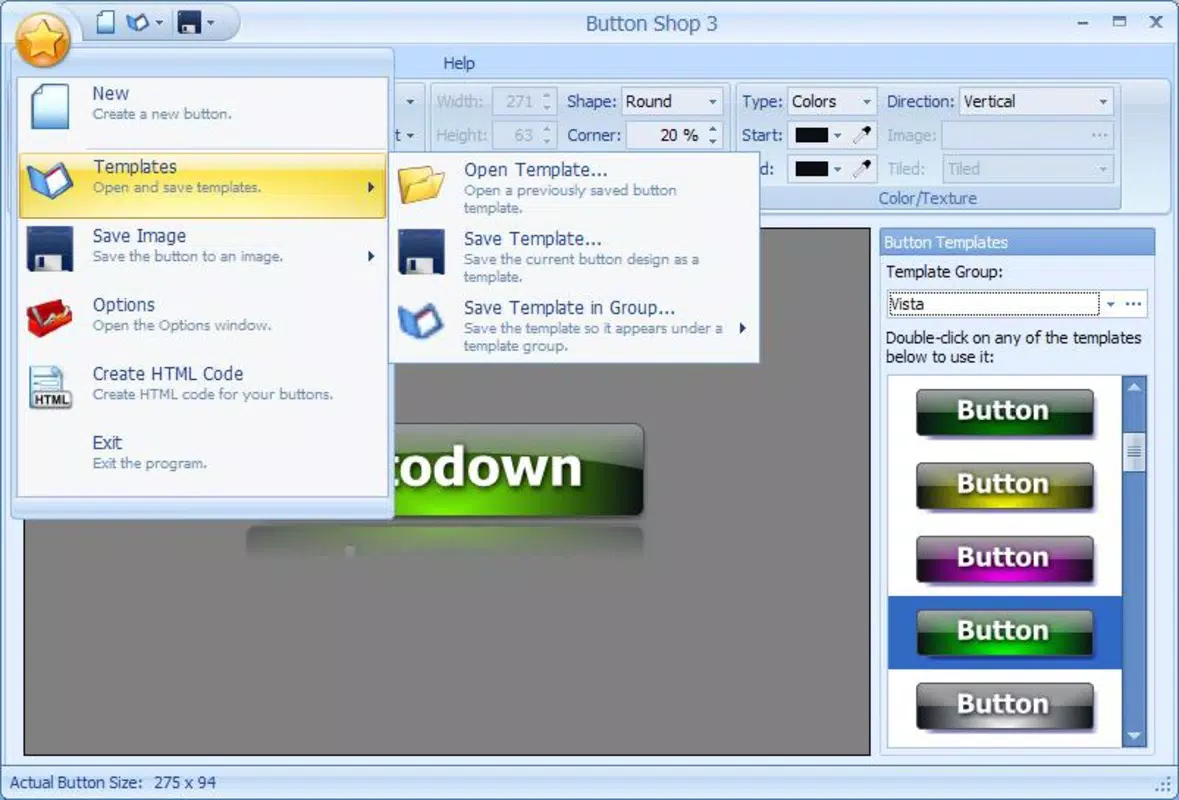
- XML Template Saving: A standout feature, this allows users to save completed designs as reusable XML templates. This functionality promotes consistency across websites and reduces repetitive work, especially in large-scale or multi-page projects.
For example, a web designer working on a corporate site can create a standard button style once, save it as an XML template, and apply it across dozens of pages with minimal effort. Similarly, a small business owner can quickly generate a “Buy Now” button with custom colors and effects for their e-commerce page.
Interface, UX & Performance
Button Shop features a clean, minimal interface focused on functionality and ease of use. The main window displays the active button design in real time, allowing users to see modifications as they apply. Navigation is straightforward, with clearly labeled tools and menus that reduce the learning curve for new users.
Although the developer did not list formal performance metrics, the app’s lightweight size of 4.7 MB suggests efficient resource usage. It is expected to run smoothly on modern Windows systems, though performance on older hardware may vary. Responsiveness appears to be consistent during design tasks, with minimal lag when adjusting effects or switching between templates.
Stability is likely maintained through years of use, though no recent updates have been reported. The absence of crash reports in available documentation implies a reliable runtime environment. Users can expect consistent behavior across sessions, particularly for standard design operations.
Platform Compatibility & Technical Requirements
Button Shop is designed for the Windows operating system. The software version is 1.0.0, and the file size is 4.7 MB. The developer did not specify minimum OS requirements, nor did they list compatibility with specific Windows versions such as Windows 10, 11, or older editions.
Given its release date in 2013, the app was originally built for earlier Windows environments. However, it may still function on current systems due to its lightweight nature. Users should verify compatibility with their specific setup, especially if running on newer Windows versions with updated security policies.
Compatibility information was not fully disclosed. It is recommended to test the application on the target system before full deployment.
Pros and Cons
Pros
- Lightweight design at only 4.7 MB, ensuring fast installation and minimal storage use.
- Free to download and use, making it accessible to users on a budget.
- Supports multiple image formats, enhancing usability across different web platforms.
- XML template saving promotes consistency and workflow efficiency.
- Intuitive interface suitable for users with varying levels of technical experience.
Cons
- Platform is limited to Windows; no information on availability for macOS or Linux.
- Release date was 2013, indicating potential lack of modern feature support.
- Specific system requirements were not listed, which may affect installation on newer systems.
- No information on update frequency or future development plans.
- Not available on mobile app stores, limiting access for smartphone users.
FAQ
Is Button Shop safe to download and install?
Yes, the app is free and available through official channels. As it does not require third-party permissions or internet access during operation, it poses minimal security risk when downloaded from trusted sources.
Can I use Button Shop on my mobile device?
Button Shop is designed for Windows desktop systems. There is no mobile version available, and the app cannot be installed on smartphones or tablets.
Does Button Shop support modern web standards?
The app supports common image formats used in web design, such as PNG and JPG. However, specific support for modern web standards like SVG or responsive design frameworks was not provided.
How do I update Button Shop?
As of now, no update mechanism is documented. Users should check the official website periodically for new releases, though the developer has not indicated recent updates.
Can I share my XML templates with other users?
Yes, XML templates can be exported and shared. Other users with Button Shop can import these files to replicate the same design style across their projects.
Final Thoughts
Button Shop remains a practical solution for users needing to create custom web buttons quickly and efficiently. Its focus on usability, format flexibility, and template reuse makes it a valuable tool for small-scale web projects and designers seeking a no-frills alternative. While its age and lack of modern updates are notable limitations, the app’s lightweight nature and free access offer compelling advantages.
For web developers, small business owners, and digital creators who prioritize speed and consistency in button design, Button Shop delivers tangible value. Its ability to generate high-quality, reusable assets without complex software is a strong selling point.
Download Button Shop now


